How We Ranked a Scarborough Restaurant on Google Maps in 3 Weeks
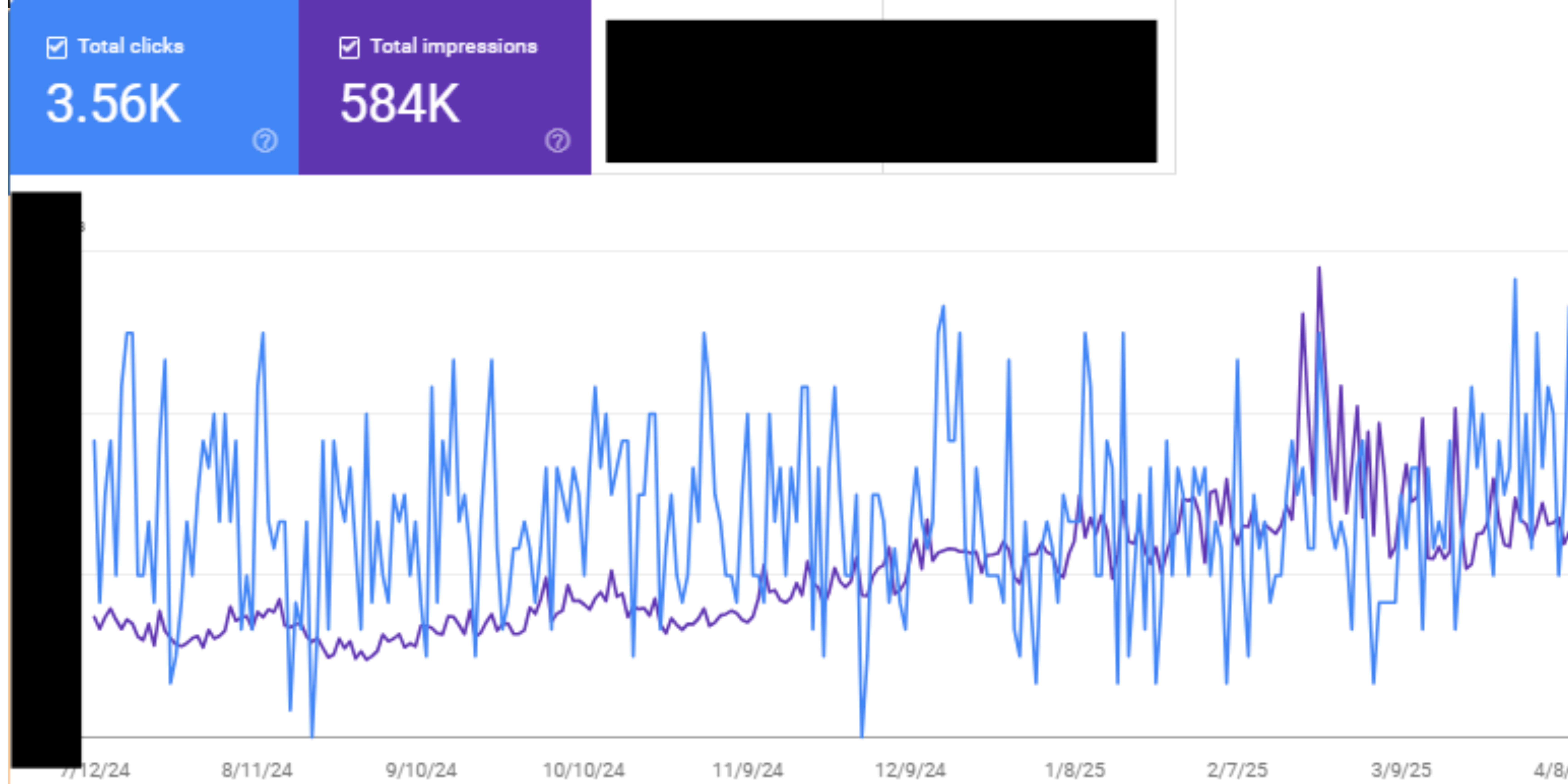
A real before/after on a Scarborough Mediterranean restaurant: zero online presence to top 3 on Google Maps in 3 weeks. The exact GBP setup, the categories that worked, and what we did week by week.
Expert Content
Written by Abdul Jaafar, local SEO specialists with over 5 years of experience helping Toronto businesses rank on Google. All strategies are tested and proven to work in the competitive GTA market.
How We Ranked a Scarborough Restaurant on Google Maps in 3 Weeks
Ranking on Google Maps in Toronto takes most businesses 3 to 6 weeks if nobody's doing the work right now — and in our experience, almost nobody is. This is exactly what we did with Ruby's Mediterranean Cuisine, a Scarborough restaurant that went from zero online presence to top 3 on Maps inside three weeks.
The starting point
Ruby's had been open for six weeks when we started. One location, no website, an unclaimed Google Business Profile, and zero reviews. The owner had been getting customers entirely through word of mouth from neighbours and a couple of food bloggers who'd posted Instagram stories.
Searches for "Mediterranean restaurant Scarborough" returned three established competitors and a handful of dead listings. None of them had an aggressive Maps strategy. They'd been there forever and were coasting on age.
What we did in week 1
Two things matter most in week 1: claim and configure the Google Business Profile correctly, and ship a basic website so Google has something to crawl.
For Ruby's GBP, the primary category we picked was "Mediterranean Restaurant" — not "Restaurant" (too generic) and not "Halal Restaurant" (too narrow for the menu). We added secondary categories for "Halal Restaurant" and "Lebanese Restaurant" because both terms had real local search volume in Scarborough.
Then the rest of the profile: business hours including weekend variations, services field listing dine-in, takeout, delivery and reservations, the menu added with prices, attributes set for halal-certified and family-friendly. Twenty photos uploaded — the dining room, the food, the team, the exterior with the street sign visible. We geo-tagged a few of them to confirm location to Google.
We pushed out three GBP posts that week: a welcome post for the grand opening, a menu highlight, and a note about Friday night lamb specials. Posts don't directly rank you, but they signal recency to Google and they show up in the knowledge panel for searchers.
The website was a single-page launch site with the address, phone, hours, menu, and a map. No tricks. Just a real, fast, indexable HTML page that confirmed Ruby's existed.
What happened by week 3
By week 2, Ruby's was ranking position 4-5 for "Mediterranean restaurant Scarborough" on Maps and showing up sporadically in Maps for "halal restaurant Scarborough." We pushed out three more posts that week and asked the first wave of customers to leave reviews via QR codes on receipts.
By the end of week 3:
- Top 3 on Maps for "Mediterranean restaurant Scarborough"
- Top 5 for "halal restaurant Scarborough"
- Top 3 for "Lebanese restaurant Scarborough"
- 14 reviews accumulated, 4.9 average
- Direction requests from Google up dramatically — neighbours who'd never noticed the restaurant before were now driving to it from search
Ruby's didn't change anything else about the business. Same menu, same hours, same staff. The only thing that changed was that a properly set up GBP and a basic site told Google what they were and where they were, and Google did the rest.
What this means for your Toronto business
If a restaurant with zero online presence and zero existing reviews can hit top 3 on Maps in three weeks, a contractor with an existing site and 10-20 reviews can do it faster. The bar in most Toronto local categories is genuinely low.
The mistake most local businesses make isn't that they're doing local SEO badly. It's that they're doing nothing. Half-claimed GBPs with three photos, no categories selected, business description that says "Welcome to our family-owned business serving the community since 1998" — Google has nothing to work with.
Three things to do this week, in order:
- Pull up your Google Business Profile and audit every field. Categories. Photos. Hours. Services. Description. If a field is empty or generic, fill it.
- Make sure your website confirms — in plain HTML — what you do, where you do it, and how to contact you. If your site is a JS app and Google sees an empty body when it crawls, fix that first. We had to do that for Ruby's neighbour, a flooring contractor, before any other SEO work would land.
- Ask the next 10 customers for a review. Use a QR code, a follow-up text, whatever works. The first 10 reviews move you the furthest. After that the marginal value drops.
Want a real GBP audit on your Toronto business? Get in touch and we'll run through your profile against the top 3 in your category. Or read our breakdown of the GBP setup that drove 47 calls in 30 days for a Toronto HVAC client — same playbook, different industry.
For the official Google guidance on how Maps rankings work, the Google Business Profile help center is the canonical source. For independent data on local search behaviour, BrightLocal's annual local consumer survey is worth bookmarking.
Ready to Improve Your Local SEO?
Get expert help implementing these strategies for your Toronto business.
Get Free Consultation